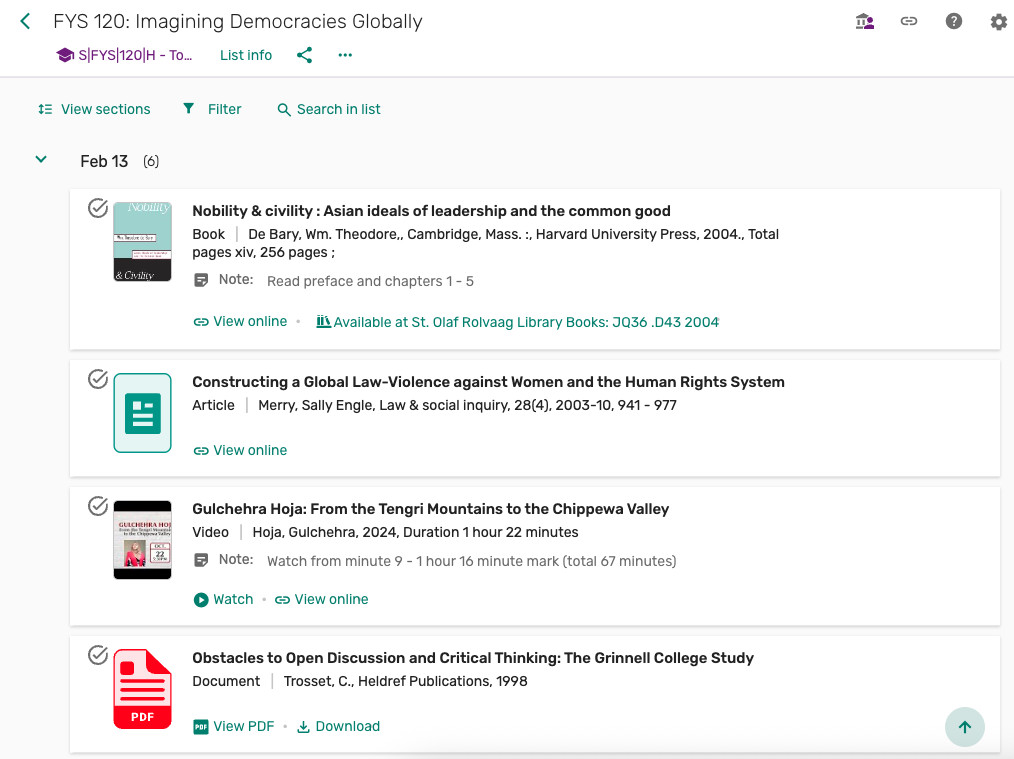
Leganto is a new tool that makes it easy for faculty to build lists of course materials and incorporate library resources into the lists in one simple-to-use interface. Leganto is a great tool for when you don’t use Moodle and need a way to organize and share course materials with your students. You can access Leganto from any web browser. Once you’ve shared your list with your students, they can access their course materials in one convenient place.
Leganto is also the tool faculty use to place materials on reserve at the library. As of summer 2026 the library no longer uses the TDX form for placing reserves requests. See the instructions for placing reserves requests with Leganto.
Getting started
- Read the Leganto article in our knowledge base for basic instructions.
- See the Leganto guide for more advanced instructions.
- Reach out to library reserves staff at reserves@stolaf.edu if you’d like additional help.
Leganto lets faculty:
- Create a list of all types of course materials your students need to read or watch (e.g. physical materials, e-resources, streaming videos, PDFs, websites).
- Connect students directly to resources available through the St. Olaf Libraries.
- Place materials on reserve at the library.
- Upload PDFs that can be collaboratively annotated by the class.
- Monitor student engagement with the course materials.
- Save and reuse your list in future courses.
Leganto lets students:
- See what course materials have been assigned.
- Access course materials online through the list.
- See what items are available on reserve at the library.
- Mark assigned readings as Done.
- Highlight, take notes in, and collaboratively annotate PDFs.