Let’s talk finances.
Finances often drive the work, events, and initiatives of student organizations. Here in the OSA, we use the finance tools within Presence to help you manage all things money. View the video to get an overview of Presence Finance to get started!
Below, we have more information about some key finance topics. Got questions? Stop by the OSA.
What Presence forms do I need to use?
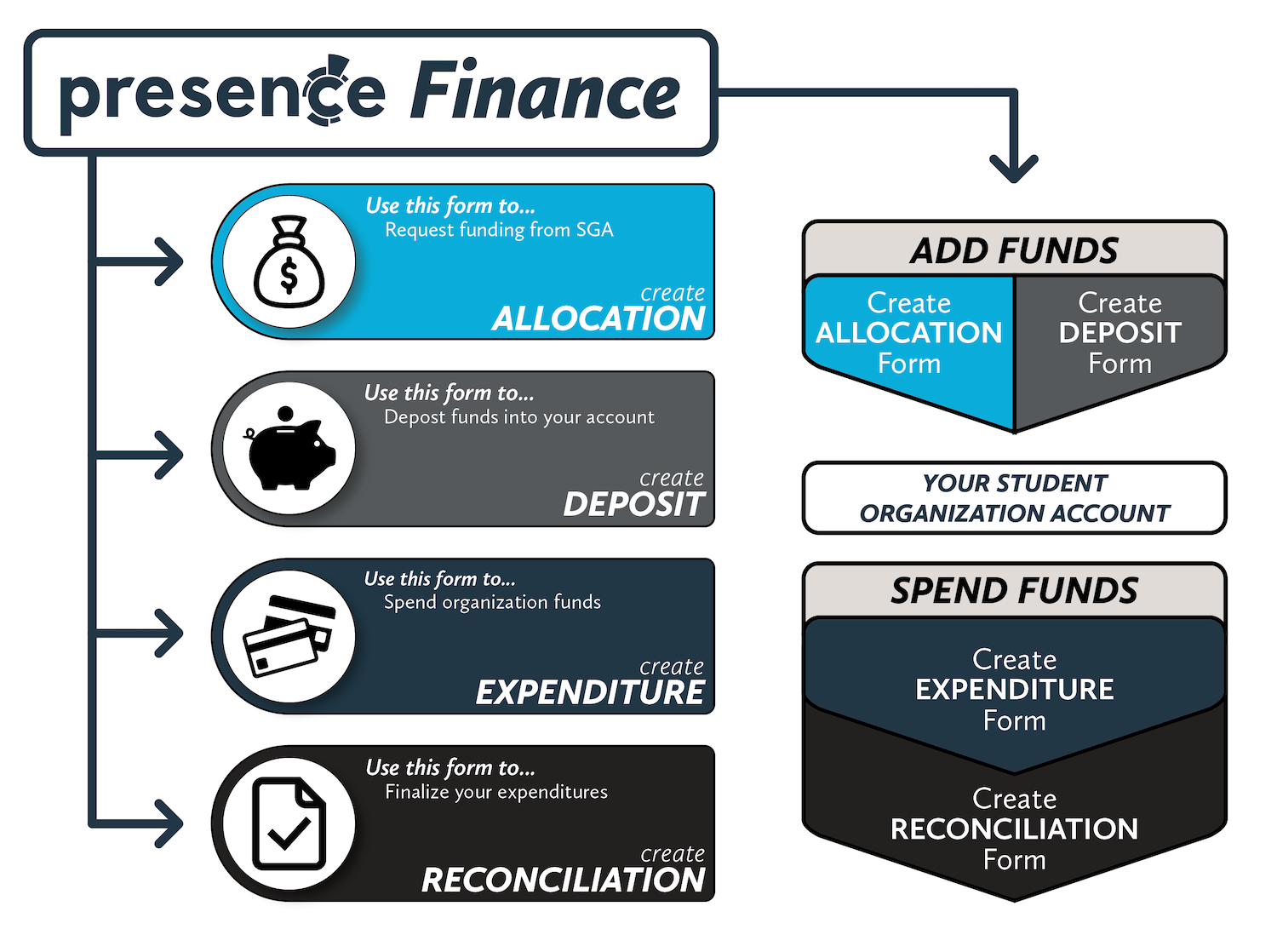
The Presence Finance tool is built on four forms: Allocation, Deposit, Expenditure, and Reconciliation. These four forms drive all student organization financial transactions.
The graphic below shares a little more about how the four forms work together to assist you in managing your student organization’s budget. To gain access to the Presence Finance tool, you will need to have completed the annual OrgEssentials training.
How do I get money for my organization?
Student organizations do not receive automatic funding allocations. All student organizations are able, however, to request funding from the Student Government Association (SGA). Multicultural organizations apply for funding from the Diversity, Equity, and Inclusion Board. All other organizations request funds from the Involvement Board.
How do I spend my organization’s money?
Student organizations spending money via the Create Expenditure form. This form allows you to submit a variety of expenditure requests including:
- Credit Card/Department Card Request
- Amazon Orders
- Check Requests
- Invoice Payments
- and more!
The below video explains how to submit an expenditure request through Presence.

How do I use Oracle for my organization finances?
All student organizations have two finance accounts: Presence and Oracle. Oracle is the official account. At this time, student organizations are unable to view their account balance in Oracle. This means it is incredibly important to track all financial transactions in Presence to maintain as accurate a balance as possible. If you have questions about how your Presence and Oracle accounts align, please connect with an OSA staff member.
You must be logged in to post a comment.