Payslips – Redwood
Last Updated: 04/16/2026
Navigation path: Me → Quick Actions → Show More → Pay → My Payslips
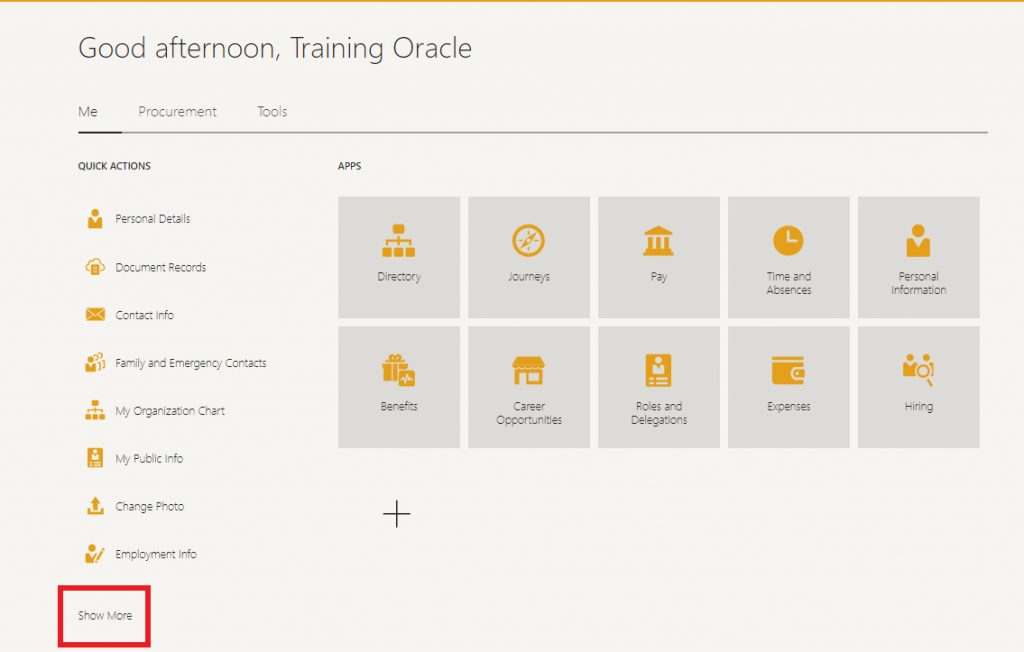
At the bottom of “Quick Actions,” click “Show More.”
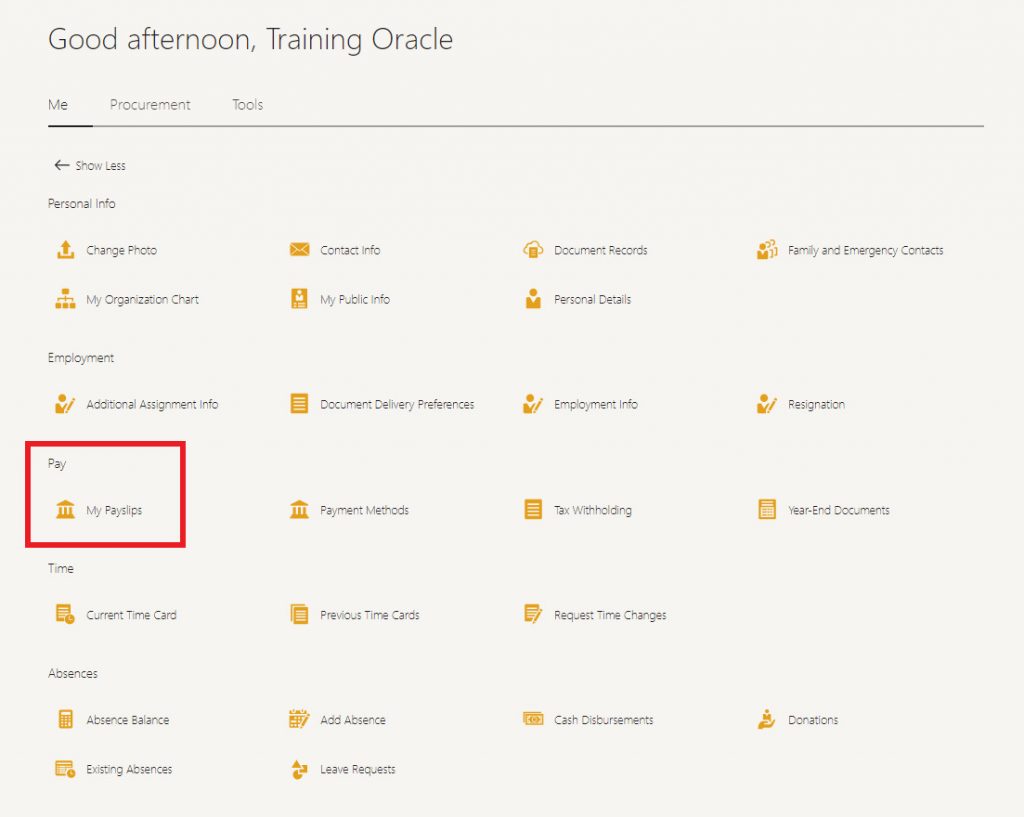
Under “Pay,” select “My Payslips.”
Or Navigation Path: Me → Pay → My Payslips
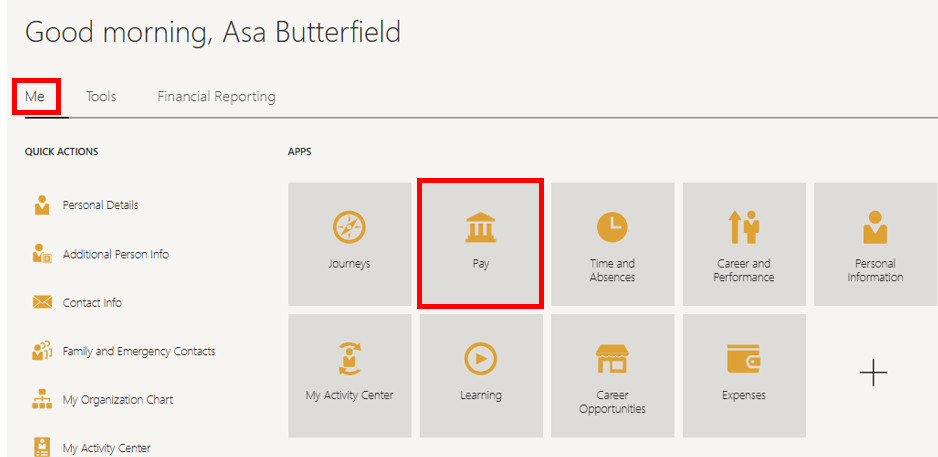
From the Home Screen, make sure you are on the “Me” tab. Click on the “Pay” tile.
Click on “My Payslips.”
Note: Historic pay slips prior to January 2024 will not be available in Oracle. You can request this documentation from Payroll. 
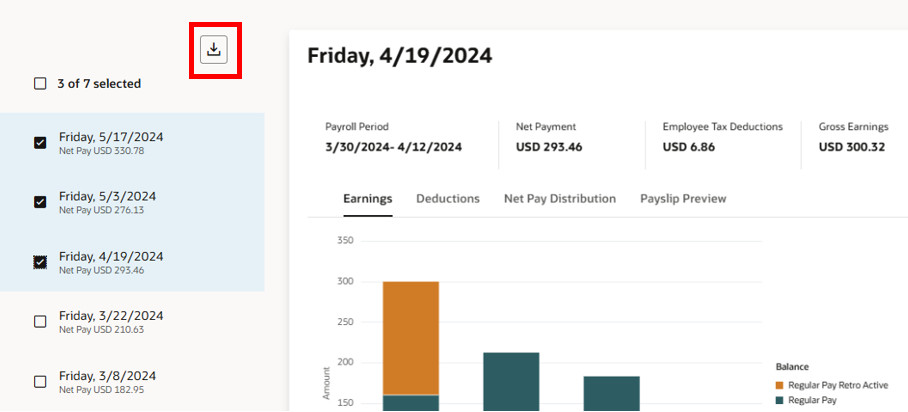
On the “Payslips” screen, you can select single or multiple payslips to view or download. Select by placing a check in front of the date you would like to view, download by using the icon above the list of payments.
Change your view by selecting from the available tabs.
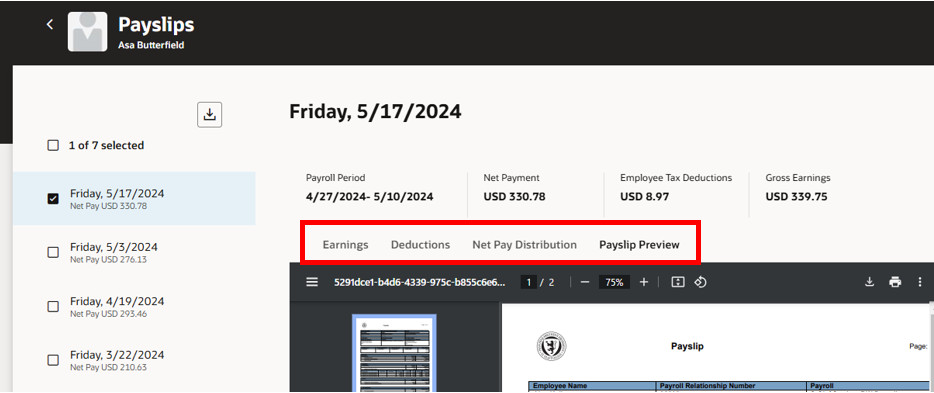
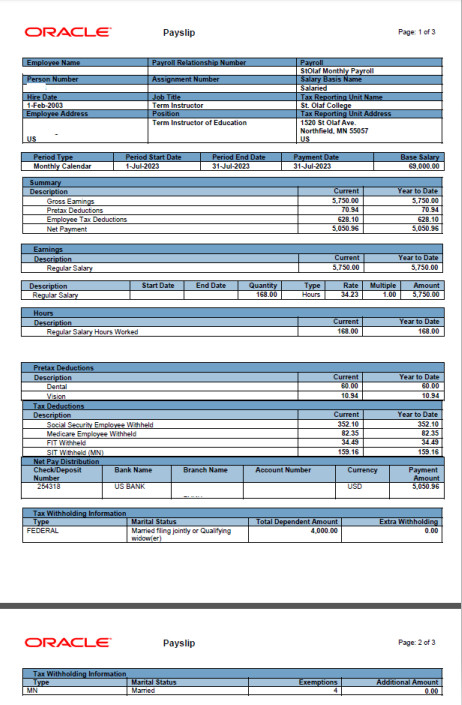
Your payslip will look like this: